Agents
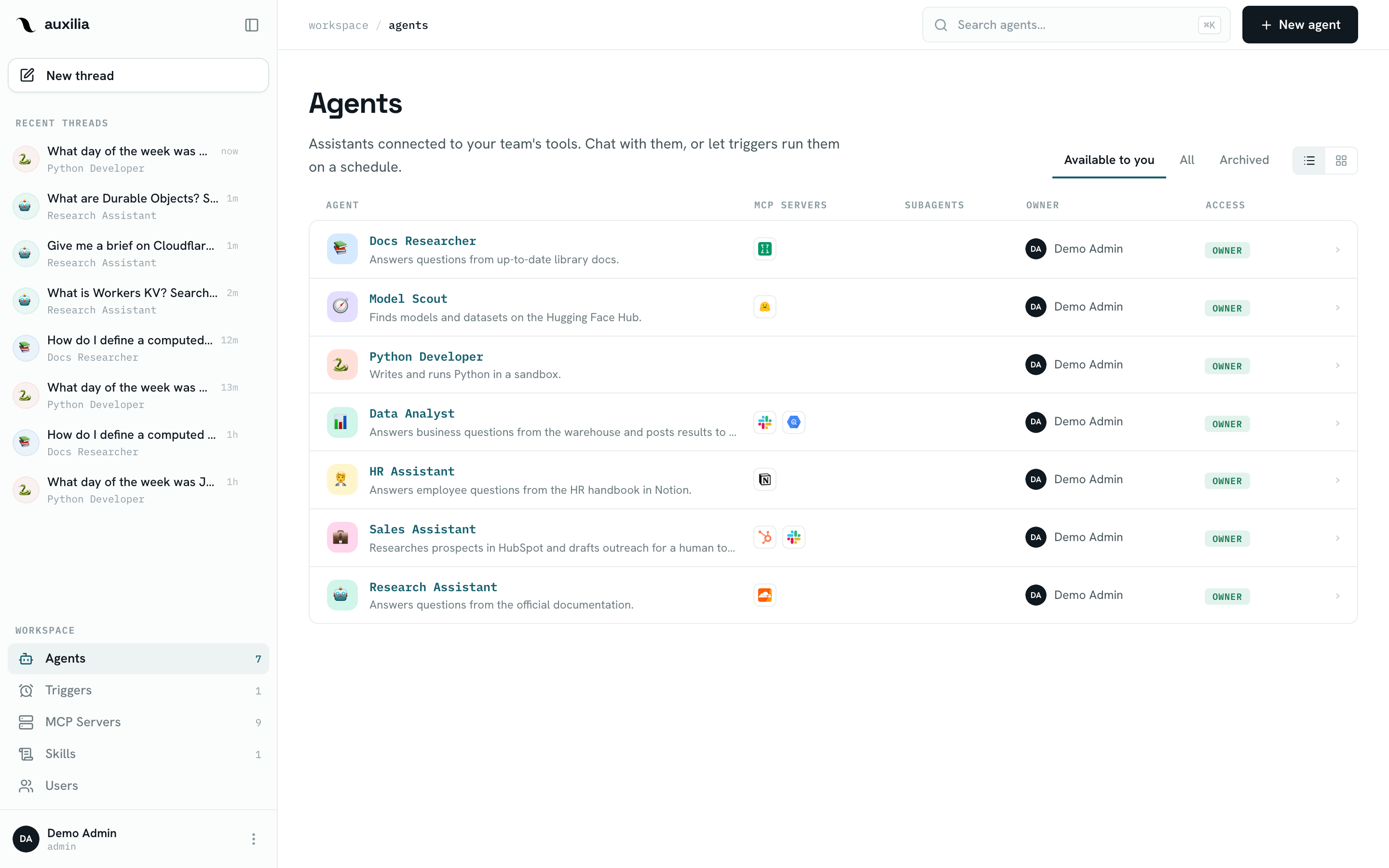
Agents are the core of auxilia. An agent is an AI assistant defined by:
- A name, emoji, and color (the avatar shown in the sidebar and chat)
- Instructions — the system prompt sent on every message
- Tools — the workspace MCP servers it may call, and optionally one sandbox for code execution
- Skills — reusable procedures from the workspace library, listed in its system prompt
- Optional subagents — specialized agents this agent can dispatch work to
How agents run
When a user sends a message to an agent, auxilia:
- Loads the agent configuration (and its subagents’) from Postgres
- Checks the agent is ready: every bound sandbox answers a probe, every MCP binding has a synced tool map, and every OAuth server is connected for this user — otherwise the composer is blocked and the run refused
- Opens one MCP session per bound server (reusing the user’s cached OAuth tokens) and filters each server’s tools by the agent’s tool settings
- If the agent is bound to a sandbox, reconnects the thread’s sandbox — or creates one — and uploads the run’s skill files into it
- Builds a LangGraph
create_agentgraph: your instructions, the live tools, the skills index, human-in-the-loop interrupts for needs approval tools, and — for sandboxed agents — deepagents’ harness (file tools,task, todo list, summarization) - Streams tokens and tool calls back to the UI (or Slack) as a durable background run, and persists state as a LangGraph checkpoint in Postgres so the thread can be resumed
Creating an agent
- Navigate to Agents in the sidebar
- Click New agent
- In the editor, fill in the name, emoji, color, description and instructions
- Click Add tool to bind MCP servers (and a sandbox), Add skill to enable skills
- Click Create agent
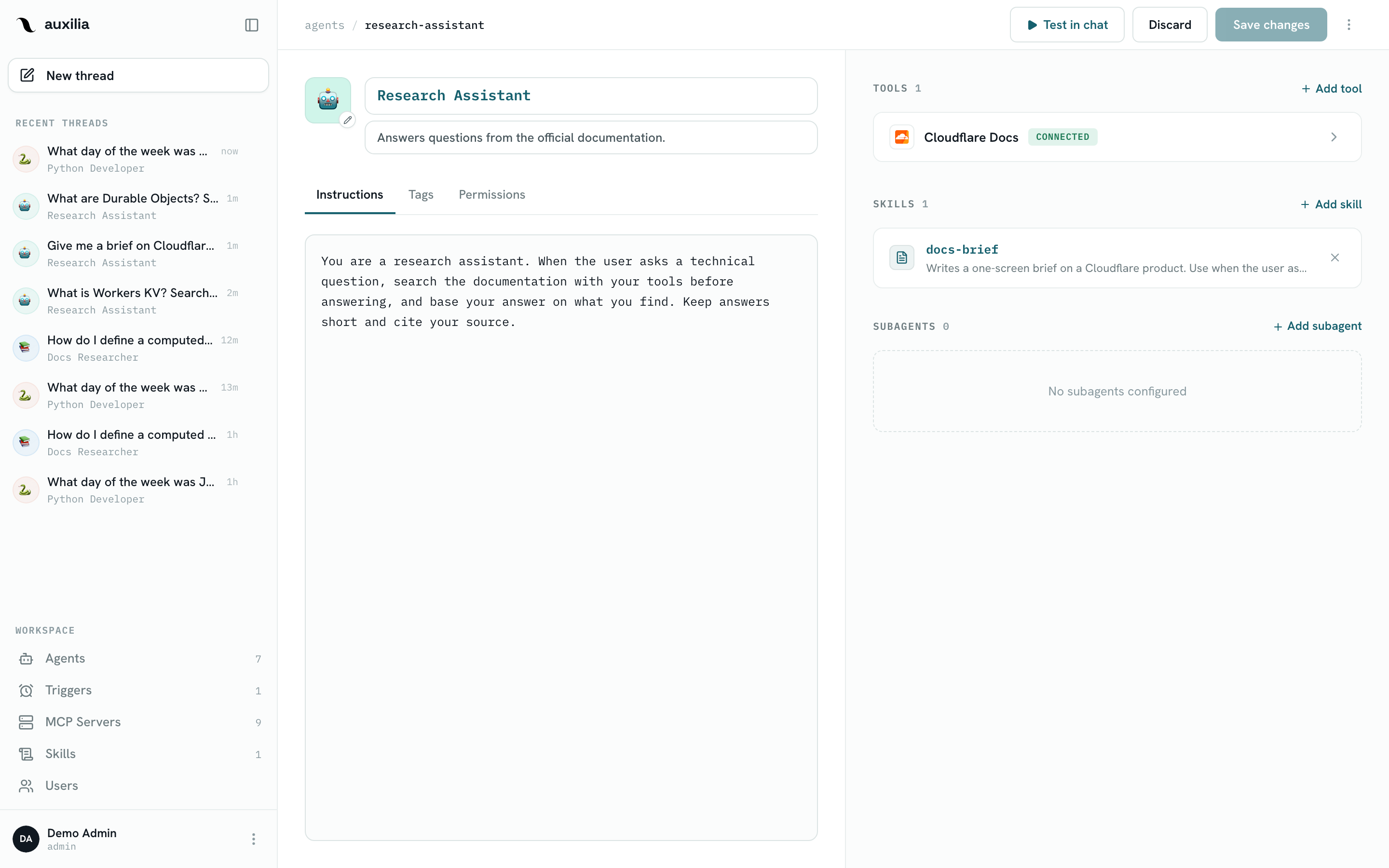
Only users with the editor or admin role can create agents. The creator becomes the owner of the agent. Once created, the agent page opens in read mode: Edit switches to the editor, Save changes applies the whole draft at once, and Test in chat opens a thread.
Threads
Conversations with an agent are organized into threads. Each thread:
- Is tied to one agent and one user
- Persists its message history via LangGraph Postgres checkpoints
- Remembers the model selected for that thread (not switchable)
- Remembers its sandbox, so files written in one turn are there in the next
- Is independent from other threads — each one has its own memory
You can regenerate the last assistant message in a thread; auxilia rewinds the LangGraph checkpoint and re-streams. Threads can also be started by a trigger or over the HTTP API.
Available models
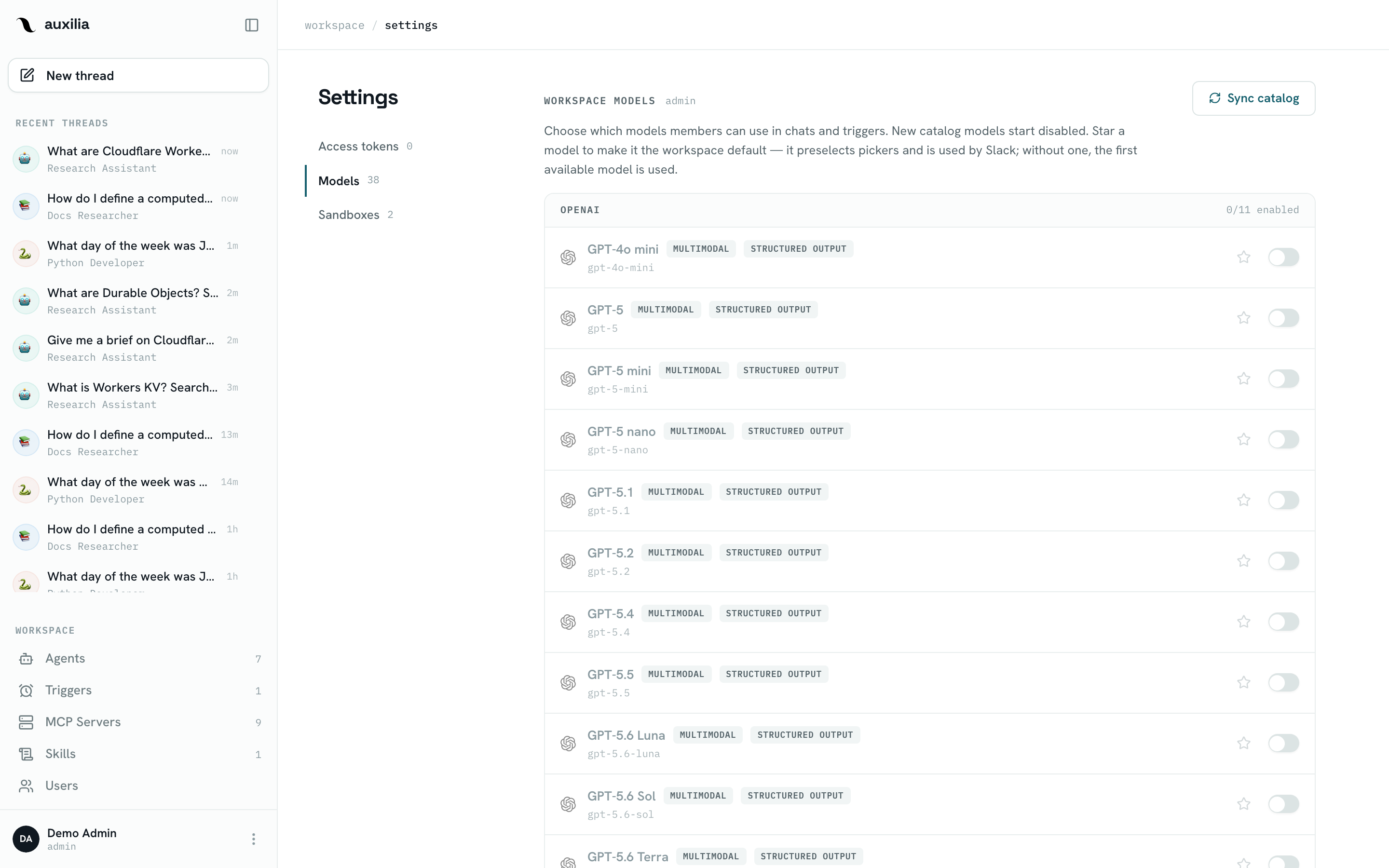
You can pick a different LLM per thread. A model appears in the selector when its provider’s API key is configured in the environment and a workspace admin has enabled it under Settings → Models.
| Provider | Models |
|---|---|
| Anthropic | claude-haiku-4-5, claude-sonnet-4-6, claude-sonnet-5, claude-opus-4-6, claude-opus-4-8, claude-opus-5 |
| OpenAI | gpt-4o-mini, gpt-5, gpt-5-mini, gpt-5-nano, gpt-5.1, gpt-5.2, gpt-5.4, gpt-5.5, gpt-5.6-luna, gpt-5.6-sol, gpt-5.6-terra |
gemini-3-flash-preview, gemini-3-pro-preview, gemini-3.5-flash, gemini-3.6-flash, gemini-3.7-flash, gemini-3.8-flash | |
| DeepSeek | deepseek-v4-flash, deepseek-v4-pro |
| Xiaomi | mimo-v2.5-pro, mimo-v2.5 |
| OpenRouter | z-ai/glm-5.2, z-ai/glm-5.3, z-ai/glm-5.3-flash, qwen/qwen3.8-max, qwen/qwen3.8-27b, qwen/qwen3.8-2.4t-a95b |
| Meta | muse-spark-1.2 |
The canonical list lives in the hosted model whitelist (backend/app/model_providers/whitelist.yaml, served from the CDN), which also declares each model’s selectable reasoning effort levels and default.
Workspace default model
Workspace admins can flag one model as the workspace default by clicking the star next to it in Settings → Models. The default model:
- Is preselected in every model picker (users can still switch per thread)
- Is used for threads started from Slack, which has no model picker
Clicking the star on the current default unsets it. Without an explicit default — or if the flagged model becomes unavailable — auxilia falls back to the first available model. Disabling the default model automatically clears its flag. Programmatically, the default is managed via PUT /model-providers/models/default and DELETE /model-providers/models/default (admin only).
Where to go next
- Configuration — editing instructions, avatar, tools and skills
- Tool Settings — approval rules per tool
- Sandbox — giving an agent code execution
- Skills — reusable procedures agents follow
- Subagents — dispatching work to specialized agents
- Triggers — running an agent on a schedule
- Permissions — sharing agents across the workspace