Agent Permissions
Agents are not automatically visible to everyone in the workspace. Access is governed by the user’s workspace role, by explicit per-agent grants to people, and by team membership.
Workspace roles
| Role | Can create agents | Can see unshared agents | Can manage MCP servers, sandboxes, invites, tokens |
|---|---|---|---|
admin | yes | yes (all agents) | yes |
editor | yes | only own + shared | no |
member | no | only shared | no |
Per-agent permission levels
On top of the workspace role, each agent can grant users one of three levels:
| Level | What it allows |
|---|---|
member | Chat with the agent |
editor | Chat + edit the agent’s configuration, tools and skills |
admin | Chat + edit + manage permissions, archive and delete the agent |
A fourth level, owner, is derived from the user who created the agent. Owners have full control and cannot be removed.
Whole teams can be granted access too: every member of a team bound to the agent gets member access.
How auxilia resolves the effective level
For each (agent, user) pair, the backend takes the first match from:
- Owner (
agent.owner_id == user.id) →owner - Workspace admin (
user.role == "admin") →admin - Explicit grant to the user →
member/editor/admin - Membership of a team bound to the agent →
member - Otherwise → none
If the effective level is none, the agent doesn’t appear in the user’s agent list and they cannot open a thread on it — the API answers 404, not 403.
Managing permissions
Open the agent’s Permissions tab. Anyone with admin on the agent — workspace admins, the owner, or a user granted admin — can:
- People — search users by name or email, add them, and pick their level (Member, Editor, Admin) or remove them
- Teams — toggle the workspace teams that should have member access
Click Save permissions to apply the changes.
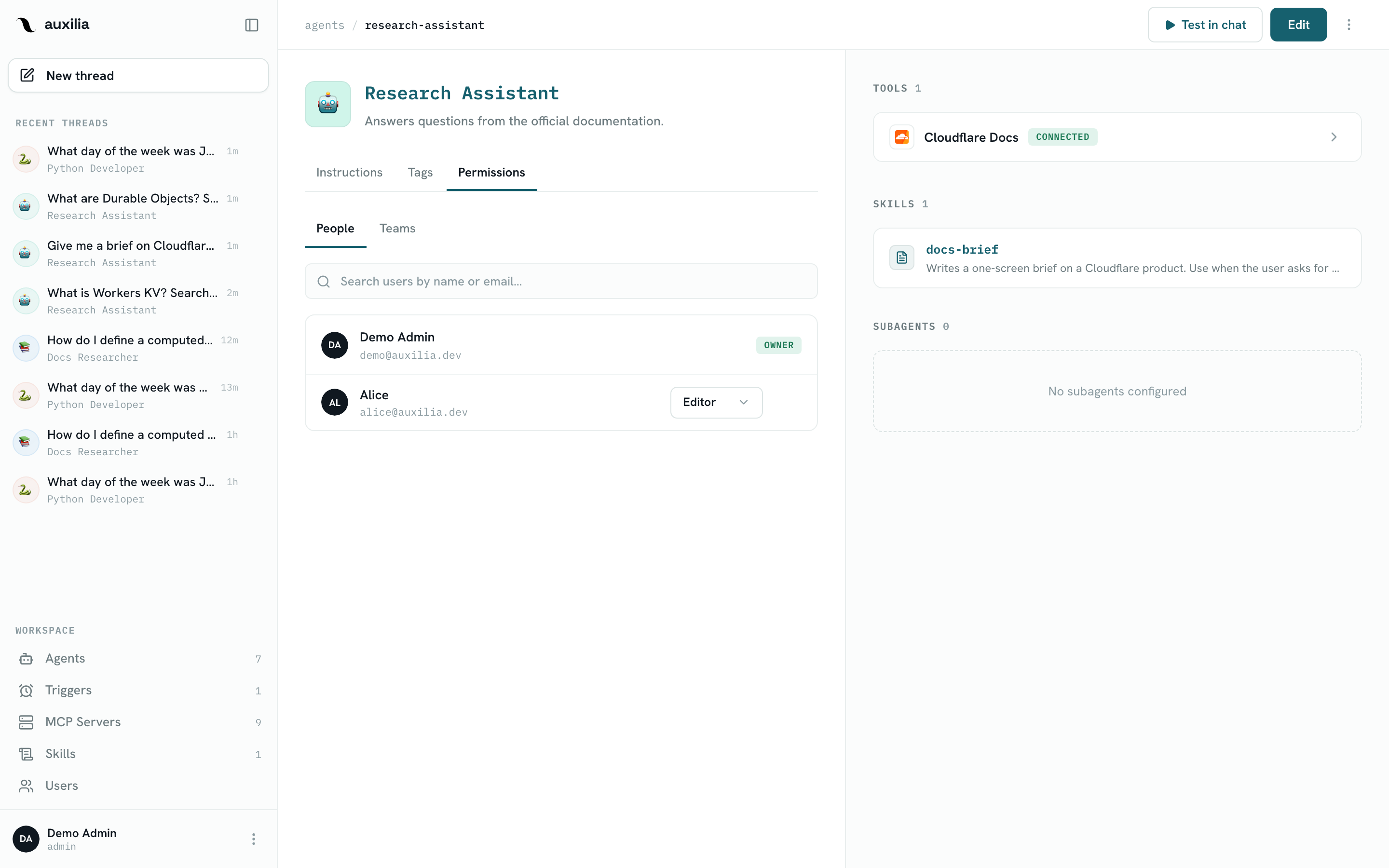
Workspace admins always see every agent — even unshared ones — so they can audit, share, or archive them.
Teams
Teams are created and staffed by workspace admins on the Users page (New team, then assign each user to a team). A user belongs to at most one team. Binding a team to an agent is the quickest way to share it with a whole department.
Invites and new users
Only workspace admins can invite new users. From the Users page:
- Click Invite user
- Enter the email address and pick a role (
admin,editor, ormember) - auxilia returns a one-time invite URL — share it with the person you’re inviting
The first account created on a fresh install automatically becomes an admin. See User Management.