MCP Servers
auxilia connects to remote Model Context Protocol servers to give agents access to external tools and data sources. Unlike desktop MCP clients, auxilia only supports remote MCP servers — it talks to them over HTTP using the Streamable HTTP transport, not local stdio processes.
How it works
┌──────────────┐        Streamable HTTP       ┌──────────────────┐
│   auxilia    │ ◀──────────────────────────▶ │   Remote MCP     │
│   Backend    │   tools/list + tools/call    │   Server         │
└──────────────┘                              └──────────────────┘
When an agent runs, the backend opens a fresh MCP session for each server bound to the agent, authenticates (API key or per-user OAuth tokens), discovers the available tools, filters them by the agent’s tool settings, and hands them to the LLM.
Workspace-level registration
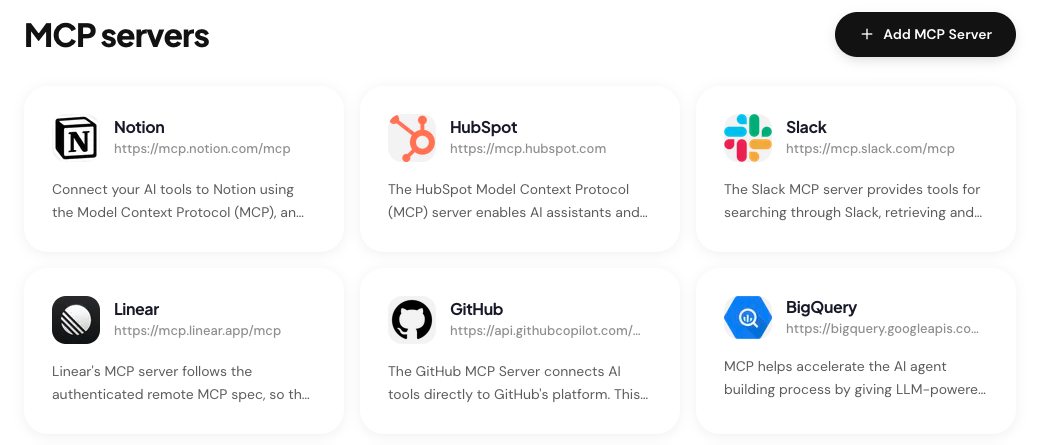
MCP servers are registered at the workspace level by an admin. Once registered, any agent in the workspace can bind them. This avoids duplicate setup across agents and centralizes credential management.
Only users with the admin role can add, edit, or delete MCP servers. Editors and members can see which servers exist and bind them to agents they own.
Adding an MCP server
Navigate to MCP Servers in the sidebar. You have two options:
- Set up an official server — a pre-configured server from the built-in catalog (Notion, Linear, GitHub, Sentry, Stripe, HubSpot, BigQuery, …). Click Install and, if required, supply OAuth client credentials.
- Add a custom server — any remote MCP server. Click Add MCP Server and supply the URL, a display name, and the authentication method.
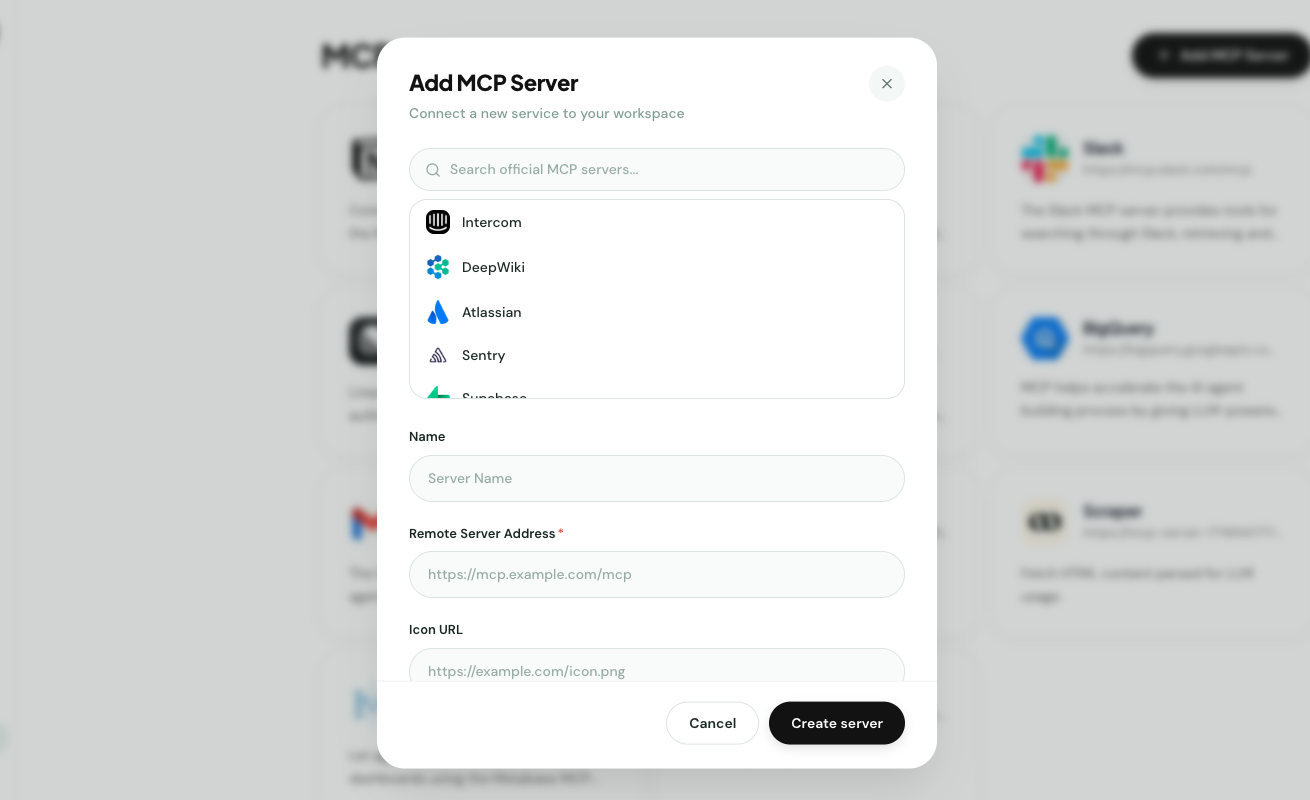
See Official vs Custom for the difference between the two.
Per-user connections
Registering a server at the workspace level does not connect it for everyone automatically. OAuth-based servers require each user to click Connect on the server card and complete the consent flow. Tokens are stored per-user in Redis.
API-key servers share a single encrypted key across the workspace.
Next
- Official vs Custom servers
- Authentication methods
- Setup examples: HubSpot · GitHub · BigQuery