Agent Configuration
An agent’s page opens in read mode. Click Edit to change anything, then Save changes — the whole draft (identity, instructions, tools, skills, subagents) is saved in one step, and Discard throws it away. Changes take effect on the next message — existing threads are not recomputed.
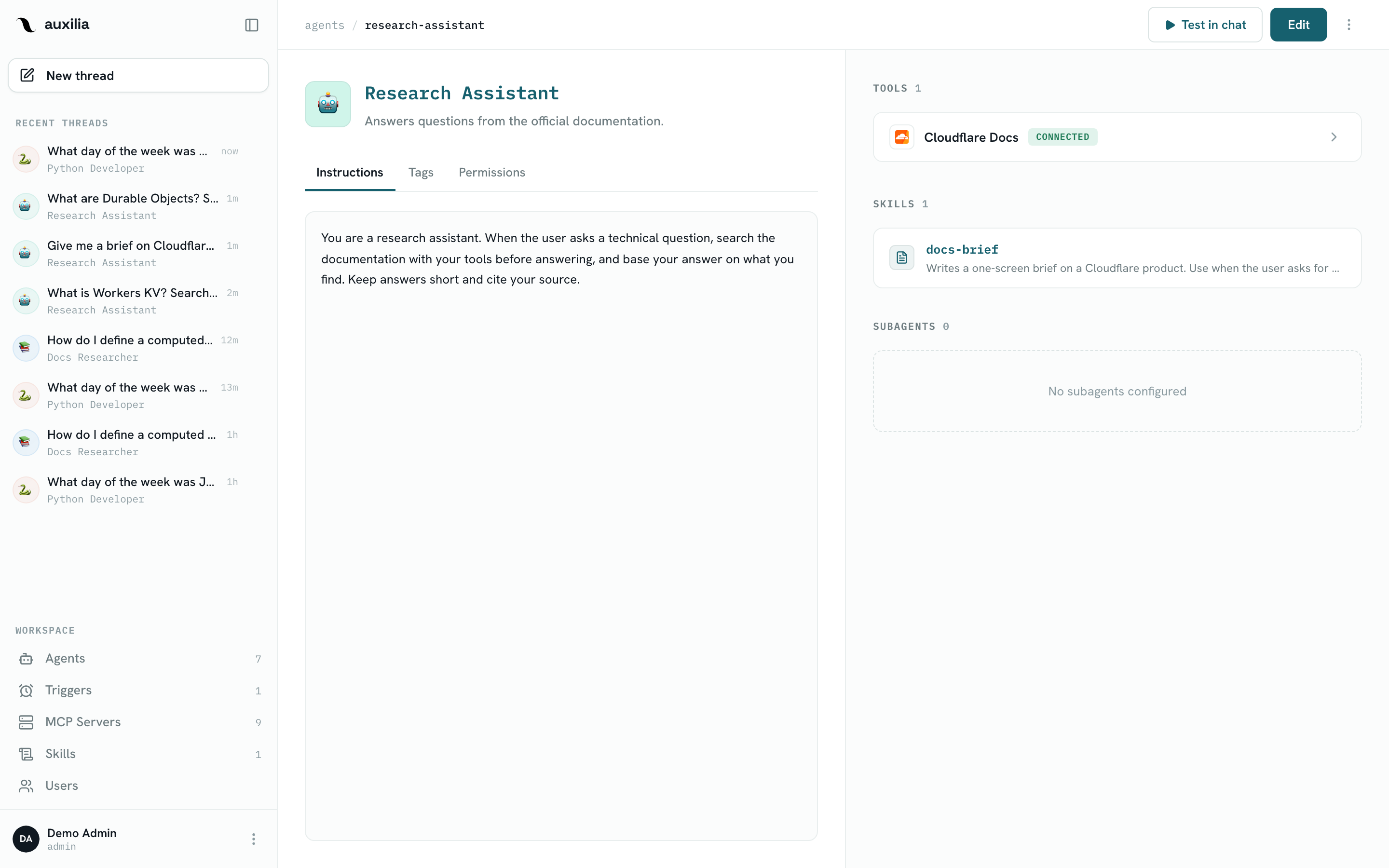
Instructions (system prompt)
The instructions field is the system prompt prepended to every conversation. It defines the agent’s role, tone, and constraints.
Tips for effective instructions:
- Be specific about the agent’s domain and the audience
- Tell it which tools (and MCP servers) to prefer for which tasks
- List formatting rules, e.g. “always cite the HubSpot contact ID”
- Say what to do when a tool fails or data is missing — otherwise the LLM will guess
Example:
You are a CRM assistant for the sales team. Use the HubSpot MCP tools to look up
contacts, deals, and companies.

When reporting on a contact, always include: email, company, deal stage, and the
last-activity date. Format monetary values with currency symbols. If a record
cannot be found, say so plainly rather than guessing.
Procedures that several agents share belong in a skill rather than in every agent’s instructions.
Avatar
Agents have a two-part avatar:
- Emoji — picked via the emoji picker in the agent editor
- Color — a hex color used as the badge background in the sidebar and chat header
Description
A short description shown on the agent card in the Agents list. Keep it to one sentence — users pick agents by skimming this.
Tools
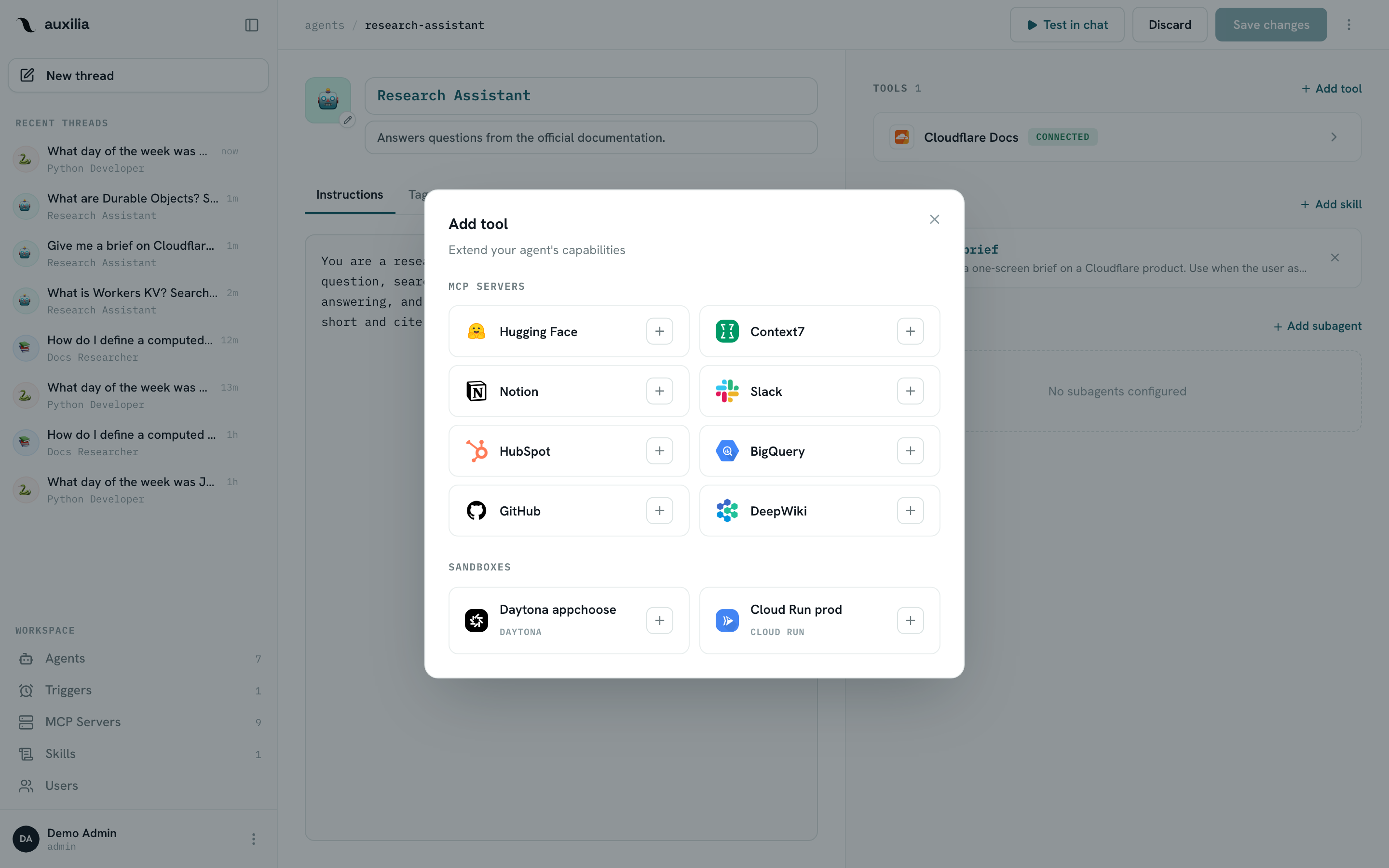
The Tools section lists what the agent can call. Click Add tool to open the picker: it shows the workspace’s MCP servers, and — when the workspace has one configured and the agent has none yet — the sandboxes available for code execution.
MCP server bindings
Adding a server connects to it and fetches its tools into the draft; the card shows CONNECTED once the list has arrived. Each binding carries the tool list with one status per tool (Always allow, Needs approval, Disabled) — see Tools & Permissions. The list is re-fetched and merged each time the server card connects, so tools the server publishes later appear as Always allow without losing your existing settings.
Expand a server card to change tool statuses, or open its tool descriptions dialog to read what each tool does.
Code execution (sandbox)
An agent runs code when it is bound to one workspace sandbox — pick it in the Add tool dialog. Sandboxes are configured by a workspace admin under Settings → Sandboxes. See Using the sandbox for what the agent gains and how the sandbox behaves across turns.
Skills
The Skills section lists the skills enabled on the agent. Click Add skill to pick any skill from the workspace library; the selection is saved with the rest of the config. A skill with scripts stays attached on an agent without a sandbox — the row says its scripts won’t run there and offers to turn code execution on. See Skills.
Subagents
Workspace admins can attach subagents — specialized agents the coordinator can call as tools — with Add subagent. See Subagents.
Permissions
The Permissions tab controls who can use and edit the agent — people, with a level each, and whole teams. See Agent Permissions.
Archiving and deleting
Agents can be archived (hidden from the default list but preserved with their threads, and restorable) or deleted permanently. Permanent deletion removes:
- The agent config
- All MCP server, sandbox and skill bindings for that agent
- All subagent links to or from it
- All threads and checkpoints associated with it
An archived agent’s triggers are paused automatically the next time they would fire.