Sandbox — Overview
The sandbox gives an agent a private, isolated Linux environment for executing code, reading and writing files, searching, and running shell commands. It turns any agent into a lightweight data-analysis or scripting agent without handing it access to the host.
This page is the operator’s view — what the sandbox is, which providers exist, and what you need to run. For how an agent author uses it inside an agent, see Using the sandbox.
Why a sandbox
MCP servers cover most structured actions (query HubSpot, search Sentry, open a PR in GitHub). But some tasks don’t fit that shape — they need a scratch environment with a filesystem and a Python shell:
- Analyze a CSV the user uploads and produce a chart
- Write, lint, and run a Python script against live data
- Iterate on a SQL query using
bqorpsql - Run the
scripts/of a skill
The sandbox provides that environment and exposes it to the agent as a toolset.
Sandboxes are workspace resources
A sandbox is a row the workspace admin creates under Settings → Sandboxes: a name, a provider, the provider’s endpoint and credential, and a few runtime knobs. Agent authors then bind one sandbox to an agent from the agent editor’s Add tool dialog. A workspace can hold several sandboxes — a locked-down one for support agents, a data-science image for analysts — and each agent picks the one it needs.
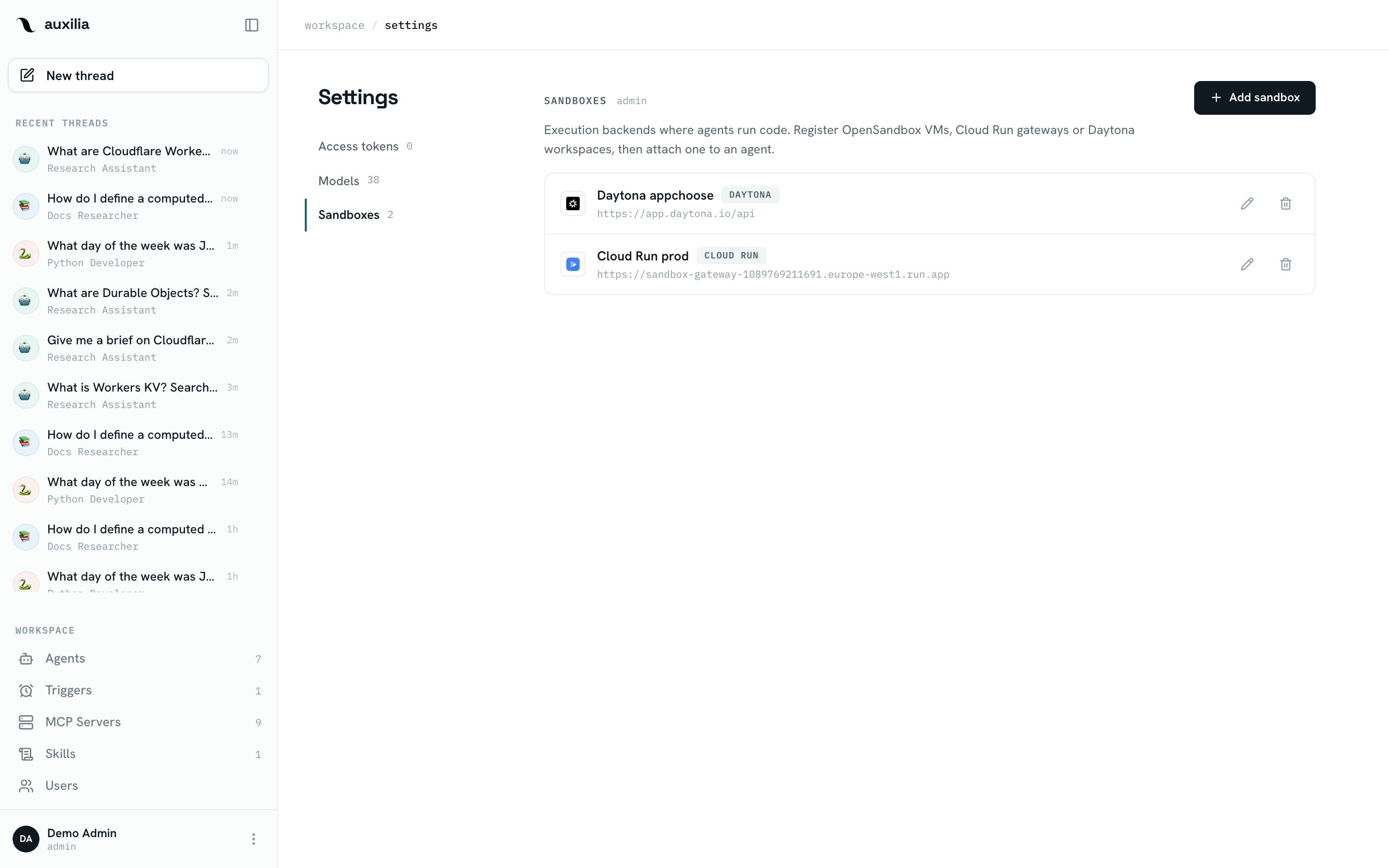
Three providers are supported:
| Provider | Where the container runs | Lifetime | Environment |
|---|---|---|---|
| OpenSandbox | An OpenSandbox controller you host (Docker, a VM, Kubernetes) | 30-minute TTL, renewed on every run | The Default image you set (default python:3.12-slim), plus Default packages |
| Daytona | Daytona cloud or a self-hosted instance | Auto-stops when idle, woken on the next run | Daytona’s default image, or a Snapshot you built |
| Cloud Run | Google Cloud Run sandboxes behind a small sandbox gateway service | No TTL; lives in one gateway instance, snapshotted to GCS at the end of each turn | The gateway container’s image |
Whichever provider you pick, the agent sees the exact same toolset — the provider only changes where the container runs and what is installed in it.
How a run uses it
┌─────────────────────┐   reconnect / create    ┌────────────────────┐
│  auxilia run        │ ───────────────────────▶│  Sandbox provider  │
│  (before the model) │ ◀──── sandbox id ────── │  (OpenSandbox,     │
└─────────────────────┘                         │   Daytona, Cloud   │
         │                                      │   Run gateway)     │
         │  upload skill files                  └─────────┬──────────┘
         │  execute("python script.py")                   │
         │  read_file("/tmp/out.json")                     ▼
         │  …                                    ┌──────────────────────┐
         └──────────────────────────────────────▶│   Container          │
                                                 │   (your image)       │
                                                 └──────────────────────┘
The sandbox is eager: at the start of every run of a sandbox-bound agent, auxilia reconnects the thread’s sandbox (renewing or waking it), or creates one and pip-installs the Default packages. The model never creates, connects or names a sandbox. A sandbox that is gone is replaced and the model is told; a provider that does not answer blocks the run before the model is involved (409 sandbox_unavailable), and the chat shows a notice instead of the composer.
What you need to run it
The sandbox runtime runs outside the auxilia backend. auxilia is a client of it — the backend never executes shell commands itself.
- Self-host OpenSandbox — run the controller next to the backend and register its domain and API key. The Setup page walks through it, including how to ship your own image.
- Use Daytona — create an API key on Daytona, optionally build a snapshot with your libraries, register it. Also on the Setup page.
- Use Cloud Run sandboxes — deploy the
sandbox-gatewayservice on Google Cloud Run and register its URL and secret. See Cloud Run Sandboxes.
Next
- Setup — add an OpenSandbox or Daytona sandbox to the workspace
- Cloud Run Sandboxes — deploy the sandbox gateway and use Google Cloud Run sandboxes
- Security — isolation, volume mounts, timeouts
- Using the sandbox in an agent — the agent-author side: binding a sandbox and the toolset the LLM sees