Skills
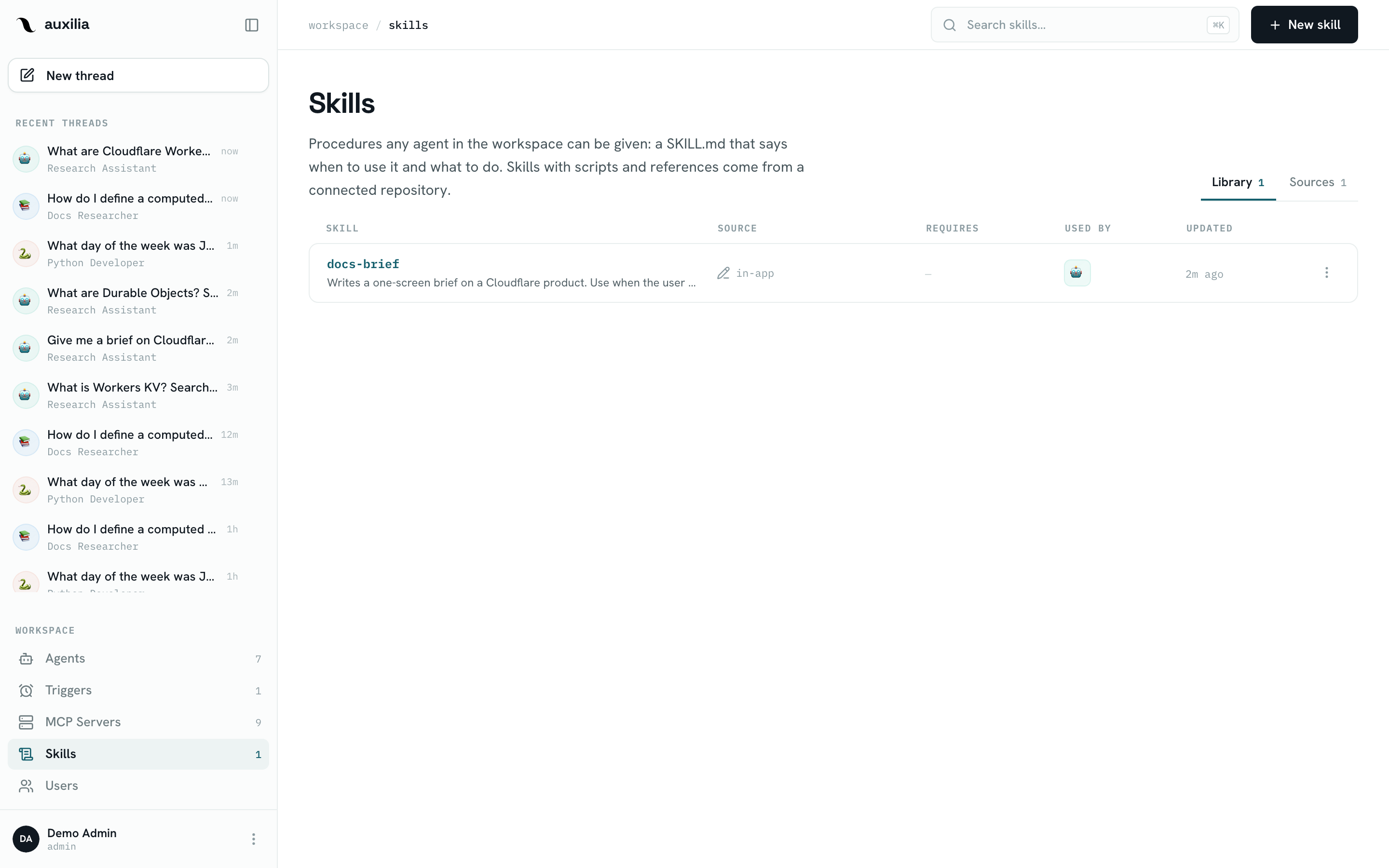
A skill is a reusable procedure an agent follows: a SKILL.md — YAML frontmatter with a name and a description, then the steps — plus optional supporting files, in the open Agent Skills layout. Skills live in a workspace library and are enabled per agent, so one procedure can be shared by every agent that needs it instead of being pasted into each one’s instructions.
Anatomy of a skill
weekly-brief/
├── SKILL.md              # name + description frontmatter, then the procedure
├── reference/            # optional: templates, examples, reference material
└── scripts/              # optional: programs the agent runs — needs code execution
└── build_brief.py---
name: weekly-brief
description: Writes the Monday sales brief from last week's HubSpot deals. Use when asked for the weekly brief or a pipeline recap.
---
# When to use
The user asks for the weekly brief, the Monday recap or a pipeline summary.
# Steps
1. Pull last week's closed and moved deals with the HubSpot tools.
2. Run `scripts/build_brief.py` on the export to get the totals table.
3. Write three sections: Closed, Moved, At risk. Cite deal IDs.- name — lowercase letters, digits and single hyphens, up to 64 characters. Names are unique across the workspace: agents address a skill by its name.
- description — how agents decide to pick the skill. Say what it does and when to use it.
- Files — up to 100 files and 10 MB per skill. Anything under
scripts/is a program: a skill with scripts carries a CODE EXECUTION badge and only runs its scripts on an agent bound to a sandbox; a skill without one runs on any agent. Instructions apply on any agent either way.
Other frontmatter fields the spec allows (license, compatibility, metadata, allowed-tools) are kept as written; compatibility is human-readable text about what the skill needs and is not enforced.
The library
Skills in the sidebar opens the library. Every workspace user can read and use every skill; editors and admins can write new ones; only a skill’s owner or a workspace admin can change or delete it.
There are two kinds of skill, told apart by where they come from:
| Written in the app | Synced from a repository | |
|---|---|---|
| Created with | New skill | Sources → Connect repository |
| Contents | One SKILL.md | SKILL.md plus files — including scripts/ |
| Edited | In the editor, live on the next run | In the repository; the library pins a version and you adopt updates |
| Reviewed | By whoever edits it | Through your repository’s own review flow |
Writing a skill in the app
Click New skill. The editor mirrors the agent editor: name, description and the instructions on the left (they make up the SKILL.md), the agents using the skill on the right. Create skill saves it; later, Edit and Save changes. Saves carry a revision token, so two people editing the same skill can’t silently overwrite each other.
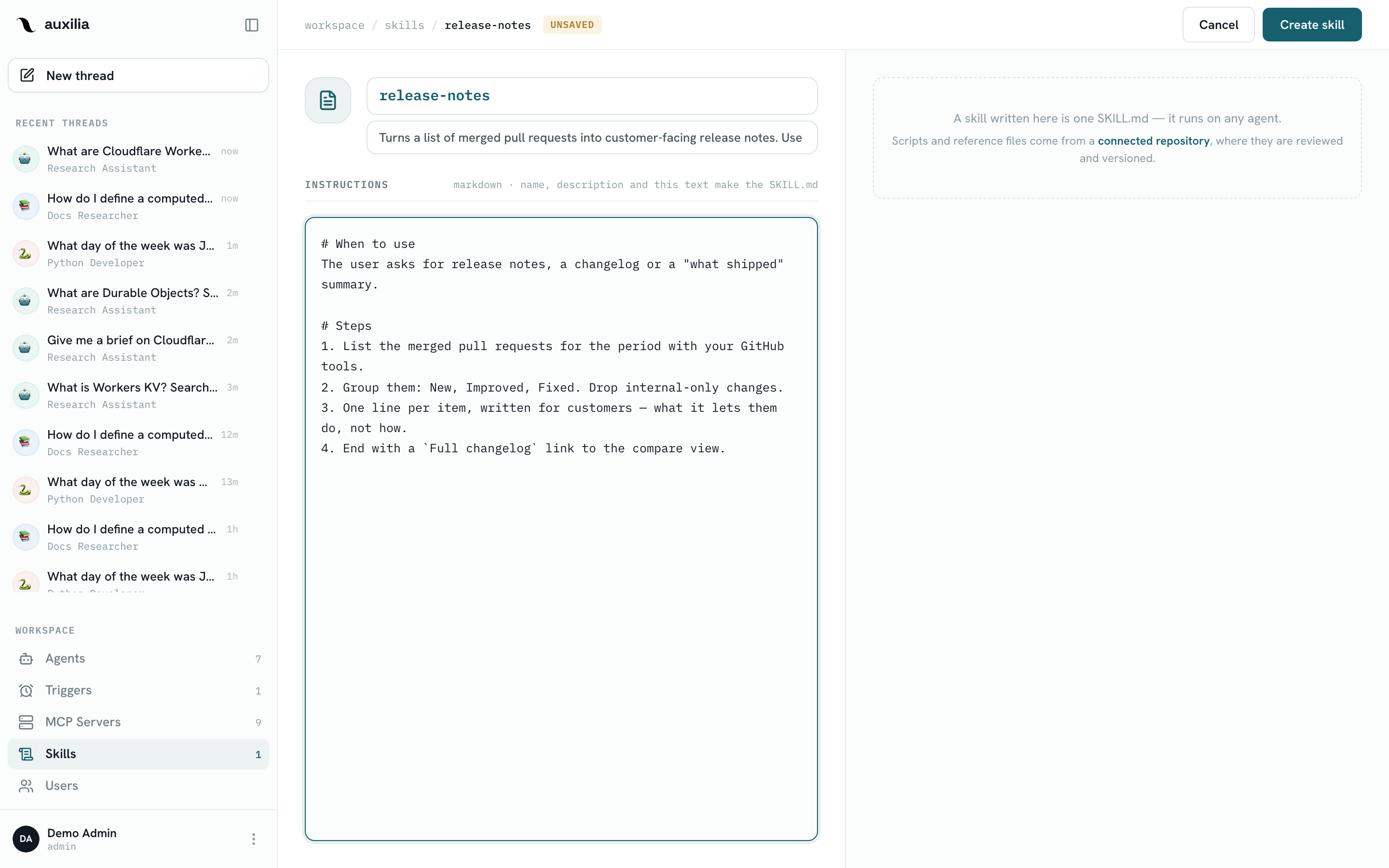
A skill written here is a single SKILL.md — files and scripts come from a connected repository, where they are versioned. A skill cannot be renamed or deleted while it is enabled on an agent; disable it there first.
Syncing skills from a repository
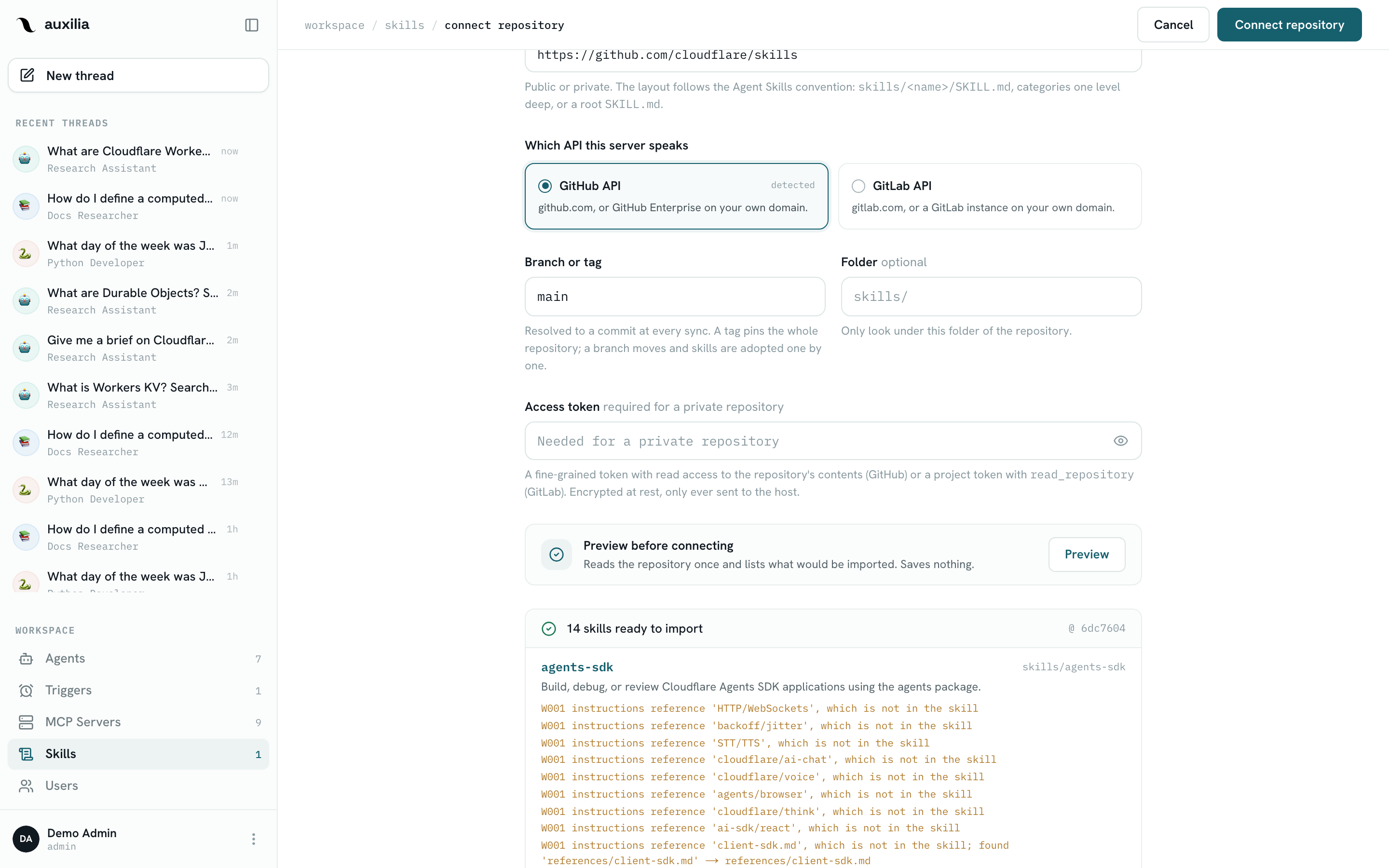
The Sources tab lists the GitHub and GitLab repositories the workspace syncs from. A workspace admin connects one with Connect repository:
- the repository URL (self-hosted GitLab instances work too)
- the ref to track (default
main) - an optional subpath to only look under one folder, e.g.
skills/ - a token for a private repository (stored encrypted)
auxilia looks for skills/<name>/SKILL.md, a category folder one level deeper, or a SKILL.md at the repository root. Preview before connecting shows what would be imported and any validation problems; connecting runs a first sync.
Each sync makes the repository’s current skills available: a new skill becomes a library row pinned to the synced content; a skill that changed upstream gets an UPDATE badge, and its owner reviews the diff with Review update and adopts it — sync never changes what an agent runs by itself. A skill that disappeared upstream is marked GONE UPSTREAM but keeps working at its pinned revision. A skill whose name collides with one already in the library is skipped and reported.
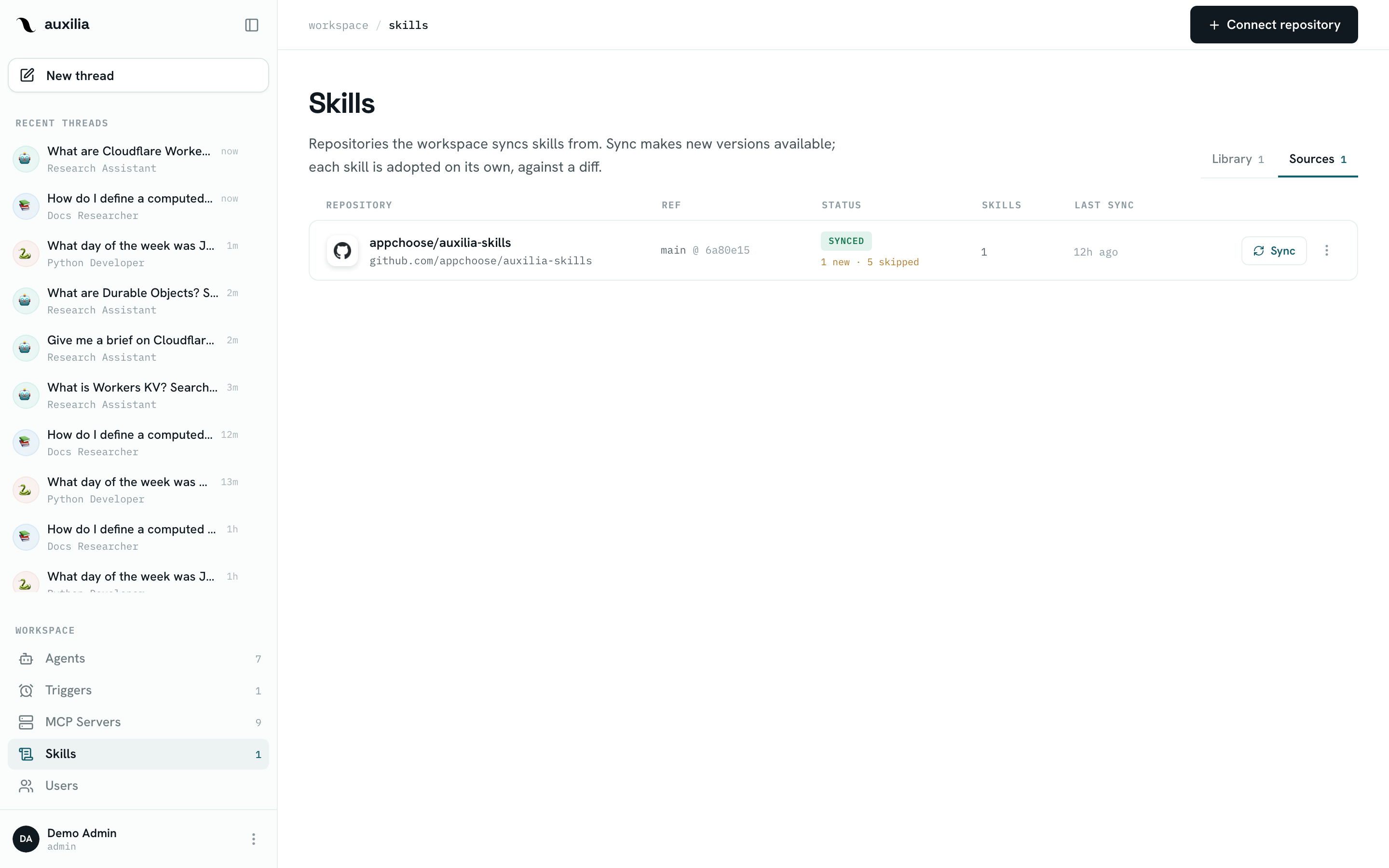
Sourced skills are read-only in the app (the repository owns their content). Disconnect removes the source but keeps its skills, detached and still pinned, so no agent loses a skill; connecting the same repository again re-pins them instead of importing duplicates.
Enabling a skill on an agent
- Open the agent and click Edit
- In the Skills section, click Add skill and pick from the library
- Save changes
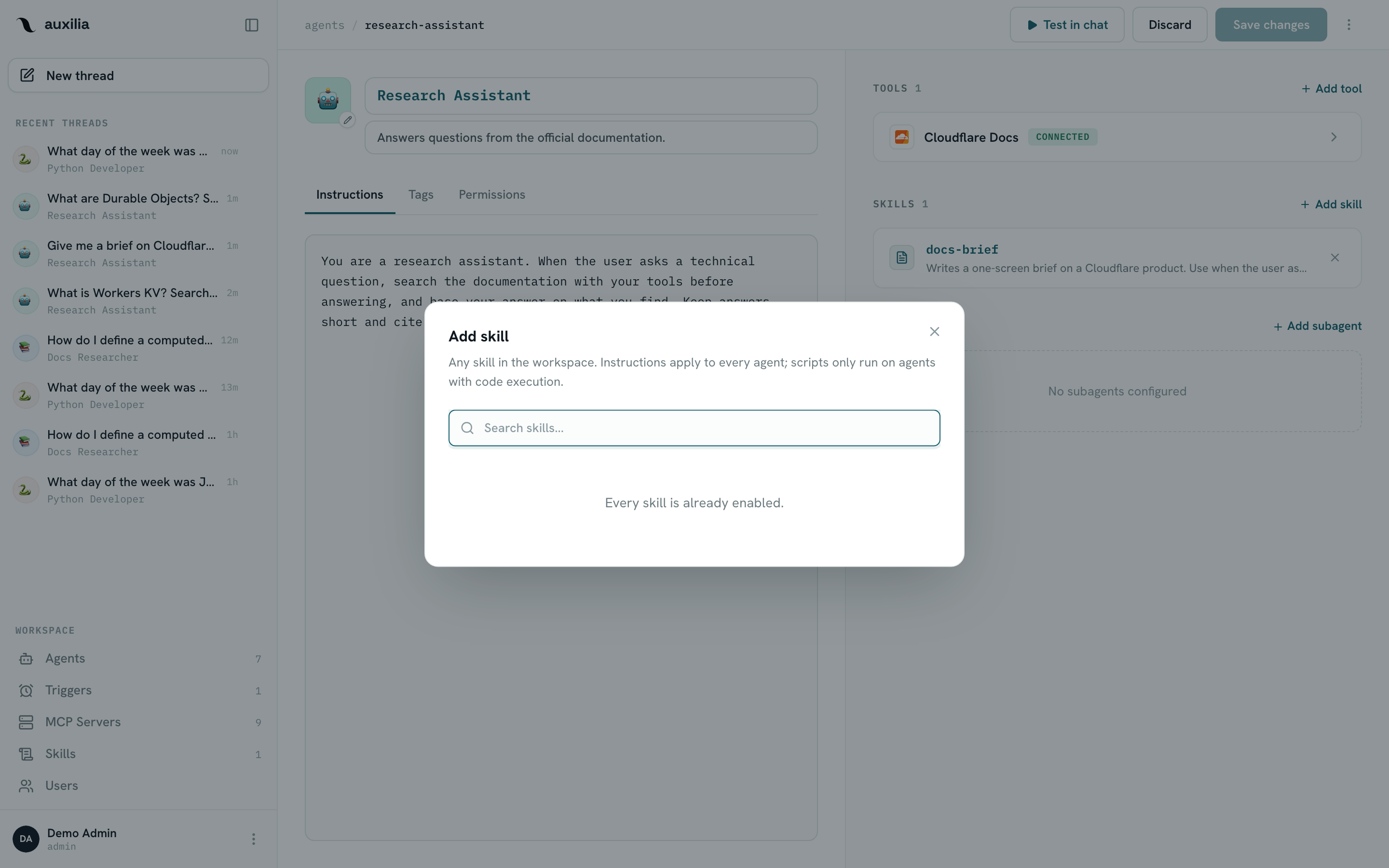
The selection is part of the agent’s config: enabling a skill needs editor access to the agent, not to the skill. A skill with scripts can be attached to an agent without a sandbox — its instructions still apply, the row says the scripts won’t run there and offers Turn on code execution.
A supervisor and its subagents share one skill set at run time, so the same procedure is available whichever agent ends up doing the work.
How skills reach the model
At the start of each run, auxilia freezes the graph’s enabled skills on the thread (a resume never swaps skills under a pending tool call) and lists them in the system prompt: name, description, the path of each SKILL.md and its files, all under /tmp/auxilia-skills/<skill-name>/. There is no special skill tool — the model reads a skill with read_file when the request matches its description, then follows it.
- Agent with a sandbox — the skill files are uploaded to the sandbox at those same paths (once per content digest), so the agent can run
scripts/directly. Edits the model makes to a skill inside the sandbox never change the saved skill. - Agent without a sandbox — the model gets
lsandread_fileover an in-memory, read-only view of the skill files: a way to read its skills, not a filesystem. It cannot run scripts itself; if it has a subagent with code execution, it delegates the run and passes the script’s absolute path, which exists in the subagent’s sandbox.
Saving or enabling a skill takes effect on the next run of every agent that has it.