Triggers
A trigger runs an agent on a schedule without anyone opening a chat: a daily digest, a Monday pipeline recap, a monthly audit. It is a name and a message, bound to one agent and one model, fired by a cron schedule in a timezone.
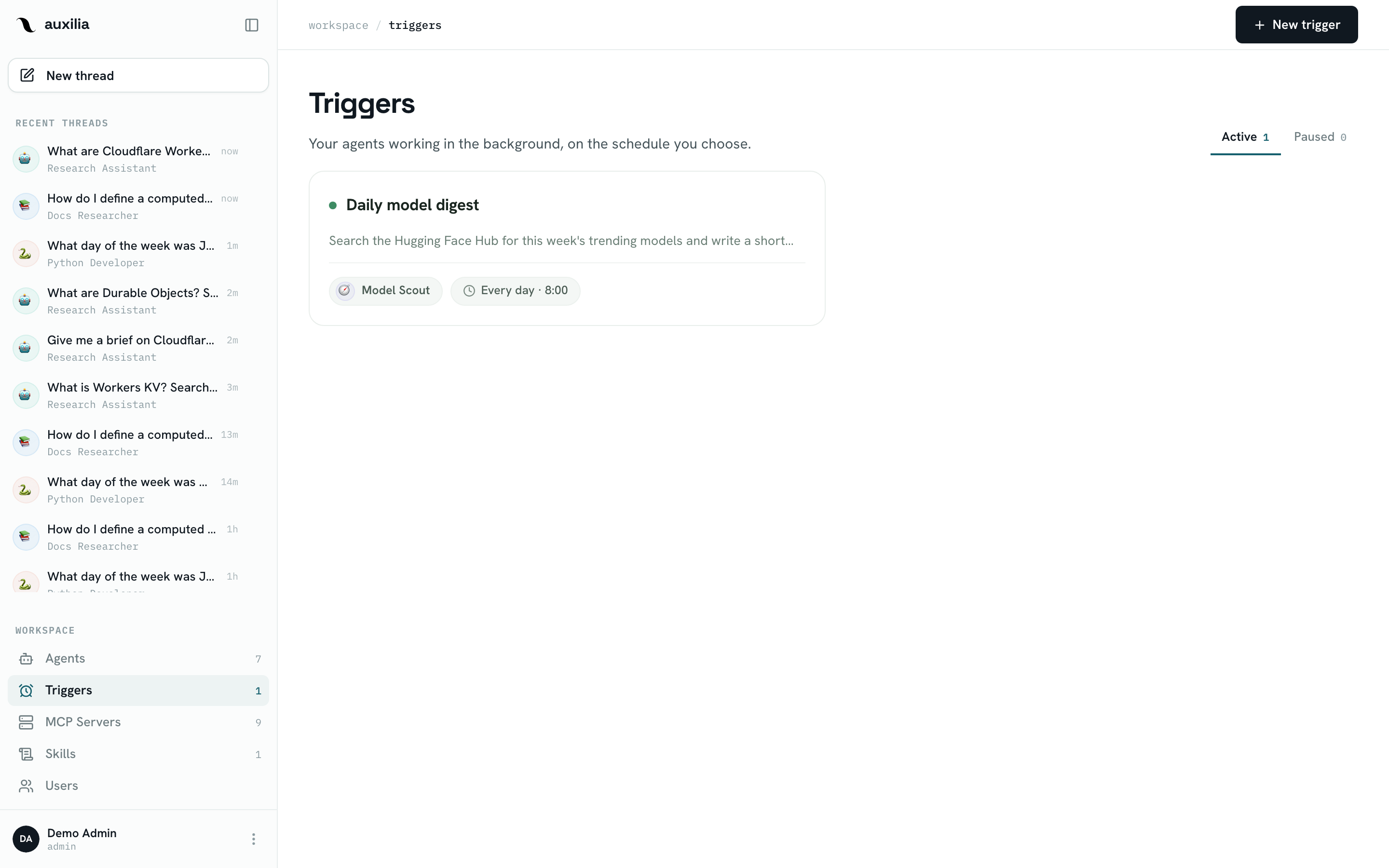
What a trigger is
| Field | Notes |
|---|---|
| Name | What it does, e.g. Daily model digest |
| Agent | The agent that runs. The trigger’s owner must be allowed to use it |
| Model (+ reasoning effort) | Fixed per trigger — there is no picker at run time |
| Instructions | The message sent to the agent on every run |
| Schedule | A cron expression plus an IANA timezone; “8am” means 8am there |
| Active | Paused triggers keep their configuration and stop firing |
Creating a trigger
- Navigate to Triggers in the sidebar and click New trigger
- Name it and pick the agent and model
- Write the instructions — the prompt the agent receives on each run
- Set the schedule with the Frequency builder: every day, weekdays, once a week, every two weeks, once a month (pick the day), or a custom cron expression — plus the time and timezone
- Check Next runs, which previews the next occurrences as you type
- Click Create trigger
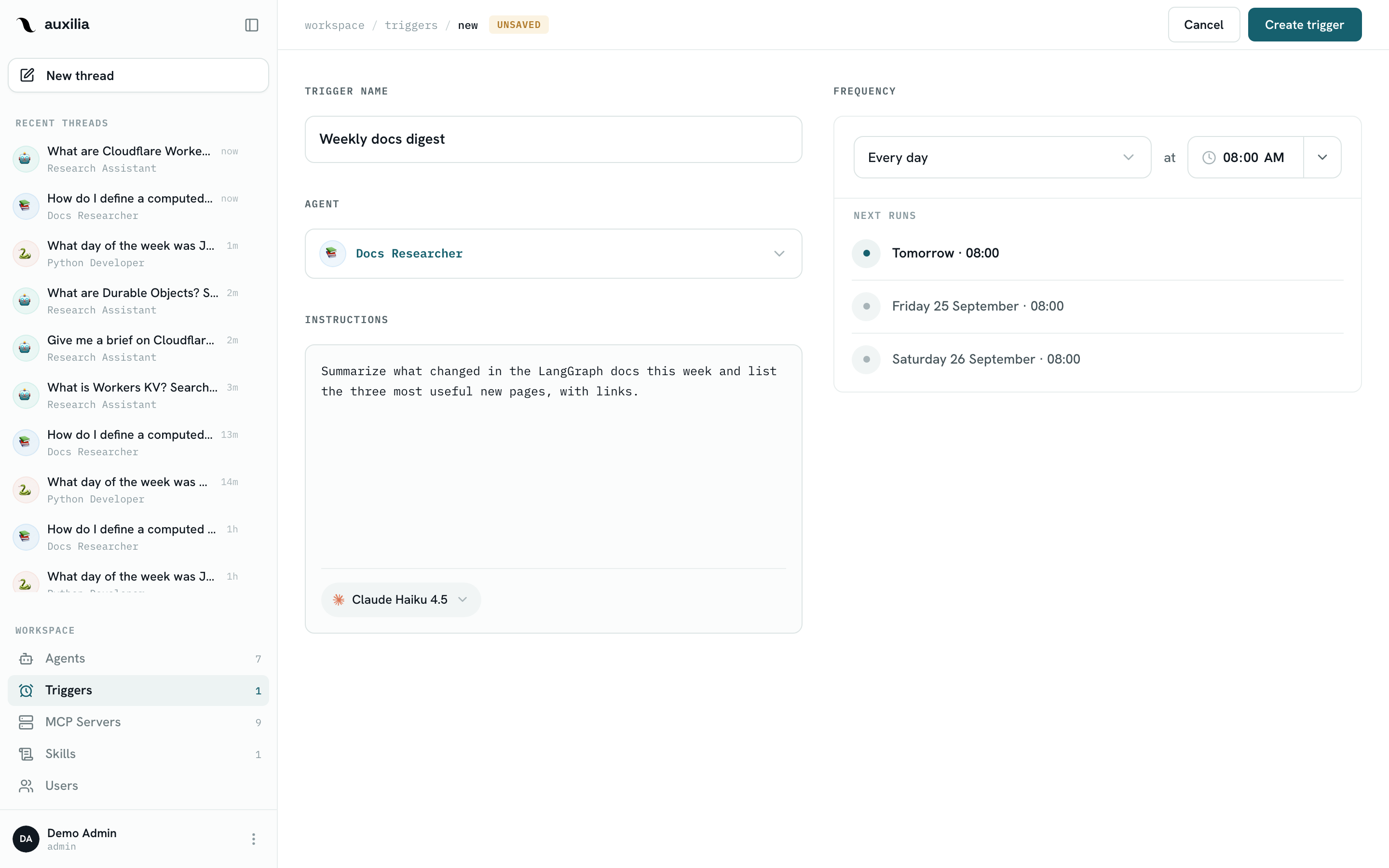
Triggers are created by editors and admins, and are owned by whoever created them. Admins see every trigger in the workspace; everyone else sees their own. An admin can edit someone else’s trigger, but its runs still execute as the owner.
What happens when it fires
Every firing:
- Creates a new thread on the agent, owned by the trigger’s owner, with the trigger as its source
- Starts a background run with the trigger’s instructions as the message — the same durable run a chat message starts
- Executes as the owner: their agent permissions, their MCP credentials. If the owner has not connected an OAuth server the agent needs, the run cannot start — Run now says so explicitly
The trigger page shows the trigger’s Run history: one thread per firing, with its last run status. Open a thread to read the agent’s answer or to approve a paused tool call.
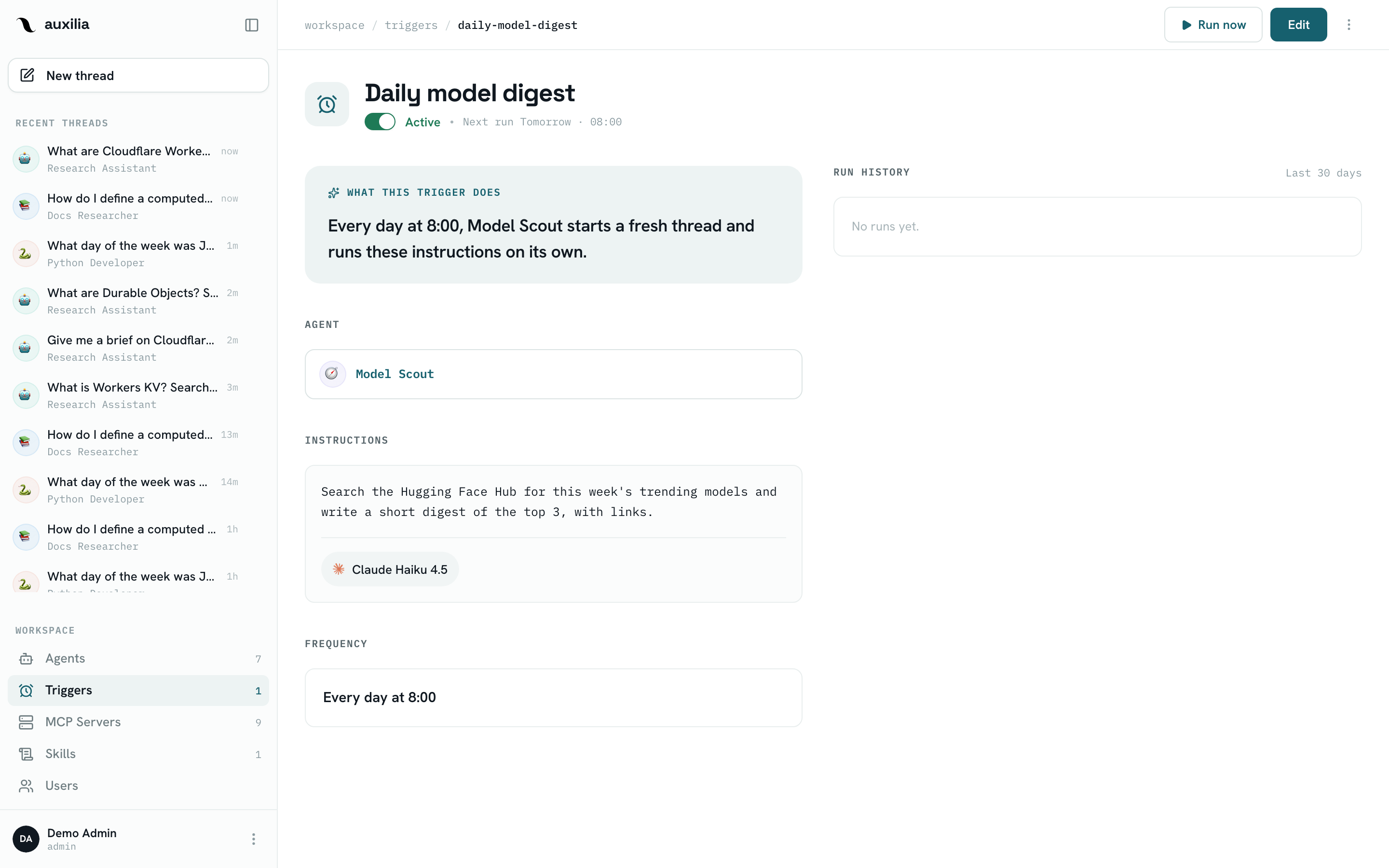
Approvals in unattended runs
A trigger run honours the agent’s tool settings like any other run: a tool set to Needs approval pauses the run, which ends as interrupted and waits in its thread until someone approves it. For a trigger meant to run end-to-end without a human, put the tools it needs on Always allow.
Schedule semantics
- The schedule is materialised into a single next run time; when that time passes, a scanner running on every backend instance claims the trigger, advances it to the following occurrence, and enqueues the run
- Missed occurrences are skipped, not replayed: if the backend was down at 8am, the trigger fires at the next scheduled time, once
- Run now fires the trigger immediately without touching the schedule
- If the trigger’s model has been disabled by an admin, the firing is skipped and the schedule keeps advancing; it resumes on its own when the model is enabled again
- If the trigger’s agent is archived or deleted, the trigger is paused
Flip Active off to pause a trigger; flipping it back on recomputes the next run from now.
Triggers vs external schedulers
Triggers replace the cron job or Cloud Scheduler you would otherwise point at the HTTP API: the schedule, the owner’s credentials and the run history all live in auxilia. Reach for an external scheduler when the run must be driven by another system — a form submission, a webhook — rather than by the clock. See Use auxilia from n8n & Cloud Scheduler.